The topic WSL 3 will finally let Linux apps use your GPU and NPU without the performance tax is currently the subject of lively discussion — readers and analysts are keeping a close eye on developments.
This is taking place in a dynamic environment: companies’ decisions and competitors’ reactions can quickly change the picture.
WSL has long been the saving grace of Linux developers that also need to run Windows daily, and it’s partly responsible for keeping me on Windows in the first place. WSL 3, the newest iteration of WSL unveiled at Build 2026, is a free upgrade that the entire Windows 11 base can eventually pull down, just as previous versions have been, but the added functionality removes many of the compromises users had to make previously. It’s not compatible with every hardware configuration yet, but once it eventually trickles down, it will make dual-booting look even less attractive.

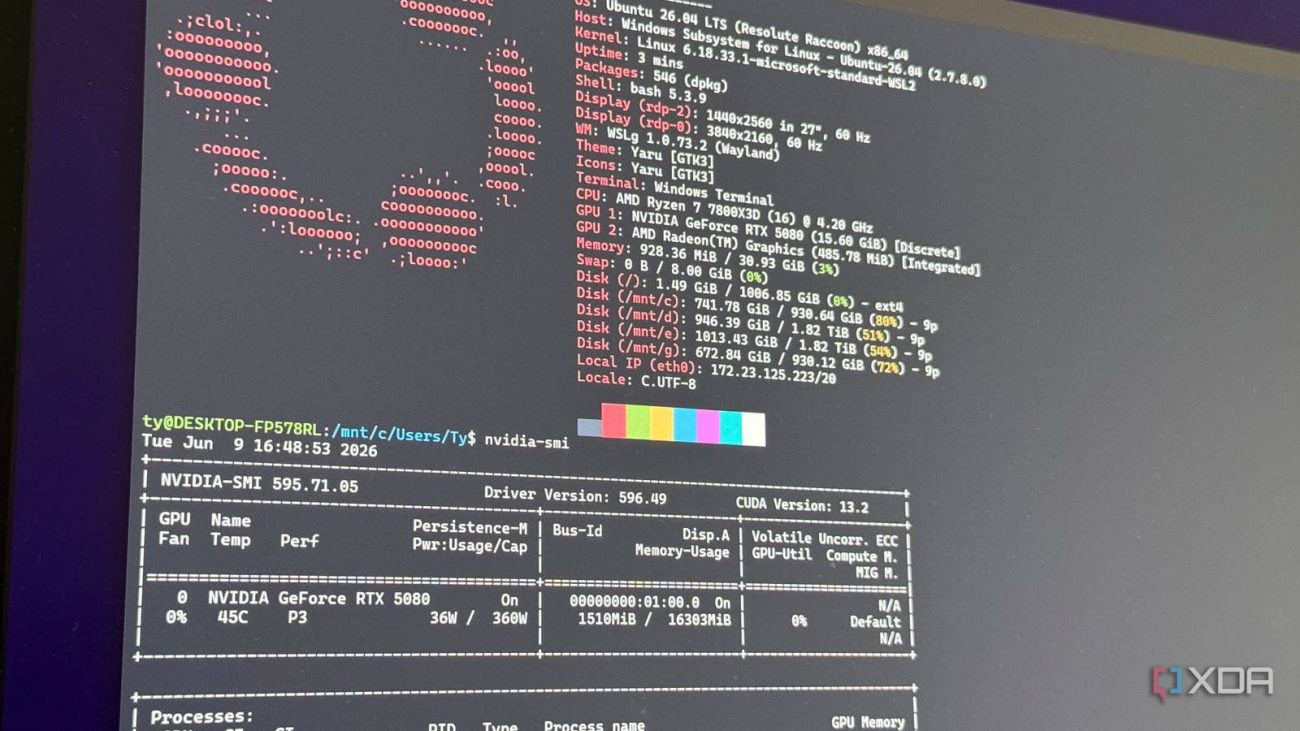
WSL’s ability to utilize a GPU and other hardware passthrough largely relied on a wrapper, and while that did allow CUDA to cross the boundary between Windows and Linux, it wasn’t as good as bare metal. WSL 3 changes that.
WSL 2 runs a full Linux kernel inside a lightweight Hyper-V virtual machine, which leaves the GPU and NPU on the far side of the virtualization boundary. WSL 3 addresses this by swapping the Hyper-V VM for a lighter paravirtualized machine aimed to give near-native GPU and NPU throughput with DirectML 2.0 handling the abstraction. The practical result is that tools like Ollama, llama.cpp, and PyTorch can lean on the system’s accelerators directly from inside Linux without the tax that made the WSL 2 path a compromise. In summation, it cuts the overhead dramatically and finally gives WSL a way to use the NPU.
WSL stopped shipping as a baked-in Windows component years ago. Since 2021, it has been a standalone Microsoft Store package, decoupled from Windows feature updates, and it costs nothing. All updates to WSL are also pushed through that same channel, so you don’t need to choose between a dodgy major Windows update and getting the latest WSL fixes and features. That doesn’t change with WSL 3, either. You don’t need to update your Windows at all to get it, meaning every current Windows 11 can get it in theory. In practice, the hardware you currently run will dictate whether you get access.
Unfortunately, WLS 3 is currently a preview with no general-availability date, and the near-native path is gated to Copilot+ machines at launch. Qualcomm’s Snapdragon X Elite and Intel’s Meteor Lake and Lunar Lake platforms are mentioned by name, but curiously, Panther Lake was given no mention. I assume that Intel’s newest platform will also be supported, but the fact that it was omitted is interesting to say the least.

AMD support, including discrete-GPU parity, isn’t in the June preview either, so if you’re on a Ryzen AI chip or a desktop with a beefy Red Team core-count and cache, you’ll have to wait your turn. My rig has no qualifying NPU, the AMD platform is firmly in the deferred bucket. The old CUDA wrapper still runs for me, but that’s the WSL 2 experience, not the new architecture I’d actually want to use, which is a bummer.
To its credit, WSL 2 also launched with a fairly narrow window as well. It was a Windows 11-only preview package that you could only get by going out of your way to find it. This was far before it was included by default like it is today, and the fact that WSL 3 is following a similar path is a good thing.
The store-first delivery method that makes things look uneven right now is what makes broader hardware support available later, without the need to wait for a major Windows update. And in terms of the explicit support out of the gate, AMD is already on the roadmap, and by the way Microsoft framed it, this is just the beginning of the support window.
So I’ll do the only thing I can do for now: keep an eye on the releases page and wait for my hardware to make the list. Right now, WSL 3 isn’t the universal free upgrade that it will eventually be, but it’s certainly very promising. Axing the overhead and enabling near-native GPU performance while opening the window for NPU usage is a huge unlock for Linux AI developers running Windows, which accounts for a pretty large user base. I figure many developers are sticking with their dual-boot configurations for the time being, or just dealing with the additional overhead, but either way, Build 2026 had huge ramifications for WSL, and all of them look positive.