The topic LM Studio expands beyond chat with Bionic, a new AI agent app for open models is currently the subject of lively discussion — readers and analysts are keeping a close eye on developments.
This is taking place in a dynamic environment: companies’ decisions and competitors’ reactions can quickly change the picture.
LM Studio is launching LM Studio Bionic, a new app for Mac and Windows that uses open models to handle coding, research, and complex work with documents and files. Here are the details.
LM Studio has always been a great way to use local models on the Mac.
Its Model Search tool lets users easily check which available models are best suited to their Mac’s specs, and the app has been steadily evolving to leverage the new possibilities and increasingly powerful features from open models.
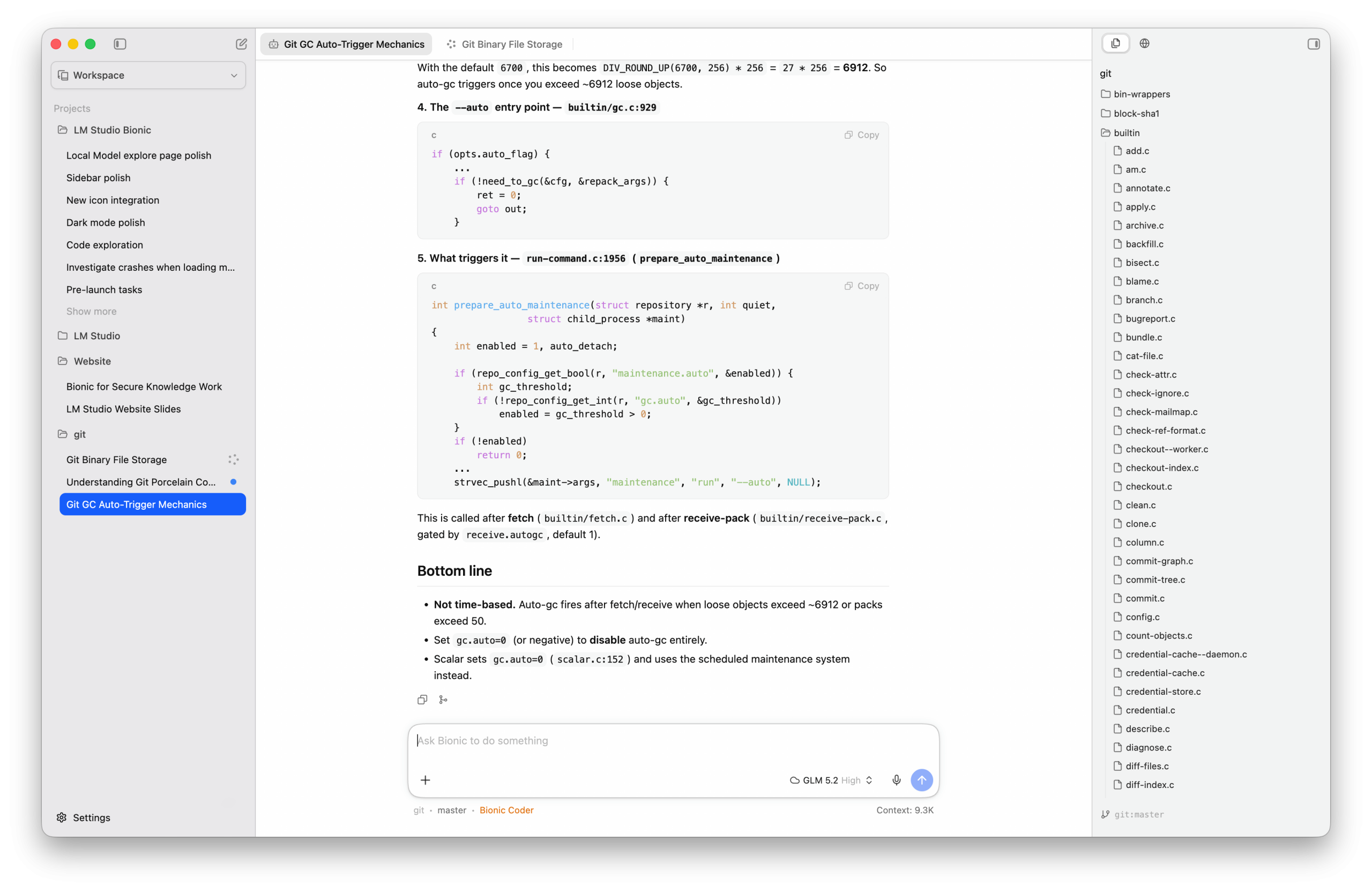
Today, LM Studio announced Bionic, a new agentic app that uses open models to work across code, documents, and other files.
Meet LM Studio Bionic.The Agent made for Open Models.https://t.co/VwbbqsdFuI pic.twitter.com/AZMhA2yGOj
Bionic is the AI agent for getting real work done with open models, including coding, research, and complex work with documents and files. You can use local models or switch to open-source models in the cloud for heavier tasks, all while staying in control of your privacy and AI spend.
In addition to letting users download and run models locally through the LM Studio runtime, Bionic provides access to larger open-source models through LM Studio Secure Cloud for more demanding coding, reasoning, tool-calling, and long-context tasks.
LM Studio says cloud requests are processed under a Zero Data Retention policy, which means that they are not stored once processing is complete. Using cloud models requires an LM Studio account with billing set up.
One cool tidbit is that Bionic ships with a voice keyboard that works across apps, letting users start dictating wherever the cursor is positioned, with all transcription handled locally on the device. Bionic initially ships with Mistral AI’s Voxtral model, offering multilingual, offline voice transcription.
For developers and vibe coders, Bionic lets users create a Code project linked to a local folder, then ask open models such as GLM 5.2 and Kimi K2.7 Code to investigate, edit, or debug the codebase while reviewing their work as it progresses.
It also supports tools such as inline diffs and agentic code search for a more streamlined workflow between the user and the AI agents.
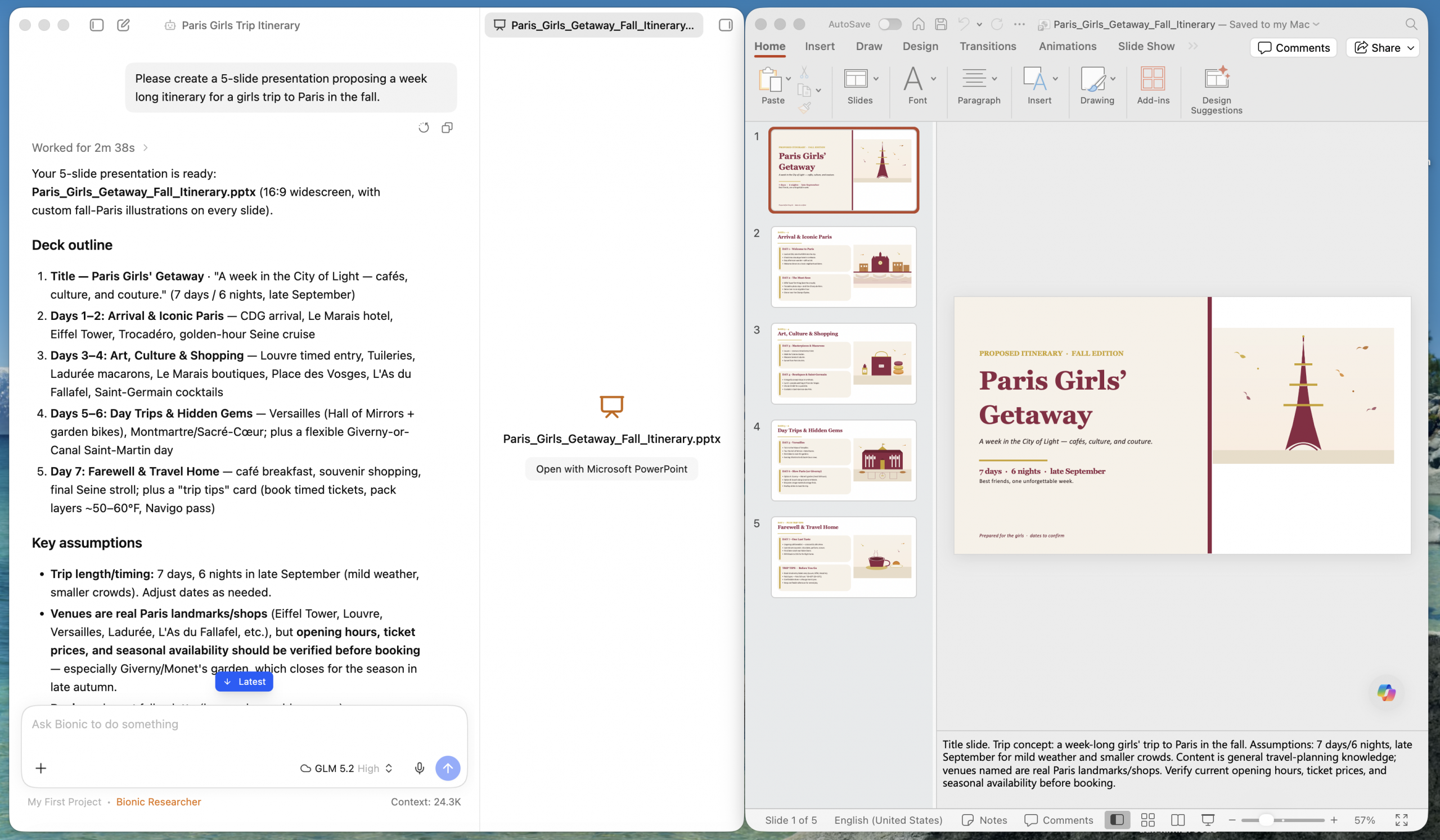
LM Studio Bionic can also work on and create documents for knowledge work, including PDFs, decks, and spreadsheets.
In a Work project, Bionic processes documents in a sandboxed environment, keeping the rest of your computer and files safe. It can organize local directories, edit files, summarize materials, and bring outside context into your workflow with native web search. Automatic checkpoints let you safely review or roll back changes, while in-app previews keep your materials and workflow in one place.
The company adds that Bionic will soon support in-app previews for more file types.