The topic The Steam client was hurting PC gaming on Android — Valve’s VR headset… is currently the subject of lively discussion — readers and analysts are keeping a close eye on developments.
This is taking place in a dynamic environment: companies’ decisions and competitors’ reactions can quickly change the picture.
Playing Windows games on an Android phone has gone from being a party trick to a practical reality at some point in the last few years. Most of the credit goes to Winlator and the open-source stack underneath it: namely Wine, Box64, DXVK, and an increasingly mature set of community GPU drivers. Apps like GameHub and GameNative built consumer-friendly launchers on top of that same stack, and for a lot of people, the experience is now good enough to be a genuine alternative to the likes of the Steam Deck. It doesn’t help that GameHub has been marred by controversy, either.
However, there’s been a quiet bottleneck sitting in the middle of all of this that nobody talks about all that much: Steam itself.
Every app in this space, until very recently, took the same approach to handling your Steam library: run the full x86 Windows Steam client inside the same Wine and Box64 translation stack that the game itself runs on. That’s a desktop application, built for a desktop OS, doing desktop things like rendering its own UI through the Chromium Embedded Framework (CEF), checking for client updates, and syncing cloud saves, all before your game even starts. It was running on a phone, through multiple translation layers, and it was often the case that even if your games ran fine, the Steam CEF UI itself would pose an issue.
I went through all of this myself a few weeks ago. I spent nights trying to get Portal 2 running on an Oppo Find N5 with a Snapdragon 8 Elite, cycling through Winlator forks, driver versions, and environment variables. The furthest Portal 2 ever got was the Valve-guy logo and the main menu before closing. On some builds, the Steam client itself would launch to a black screen. The phone wasn’t inherently the problem, but the whole arrangement was fighting itself before the game even had a chance.
GameNative 1.0, which arrived at the start of June, adds an experimental path that stops doing that. When enabled, it ditches the desktop Steam client and uses Valve’s own native Android libraries instead. And it makes a big, big difference.
For actually running games with Steam’s DRM, the standard approach in every Winlator fork goes like this: you create a Wine container, fire up the Windows build of the Steam client, log in, and hope it works so that you can install a game. If it works, Steam sits in the background for the whole session, occasionally updating itself, running its overlay (unless you disable it), and handling DRM checks, all through the same CPU translation and graphics translation layers as whatever you’re trying to play.
On a desktop PC, none of this matters. Steam uses a few hundred megabytes of RAM and negligible CPU when idle, but on a phone running through Box64 and DXVK, it’s a completely different story. Every frame of the Steam UI has to be translated from DirectX to Vulkan. Every CPU instruction goes through the Box64 dynarec. And all of that happens alongside the game you actually want to play, on a thermally constrained device with no fan.
The worst part is the sequence to actually launch a game. Before 1.0, starting a Steam game meant waiting for the Windows Steam client to boot inside the container, authenticate, sync, and only then hand off to the game. I spoke with GameNative developer Utkarsh Dalal, who said that, “running the real Steam client inside the app was a resource hog, would often take very long, sometimes crash and also significantly slow down launches.”
In my experience, Dalal is completely right. I’ve watched this launch sequence take several minutes on a flagship phone, and I’ve also watched it fail a lot more through various Winlator forks and configuration combinations than it succeeded. The worst about a crash during Steam’s startup is that it means you never even reach the part where you find out whether or not your game will run.
In November 2025, Valve shipped Steamworks SDK version 1.63, and in the release notes was this peculiar line: “Added libs for linuxarm64 and androidarm64.” Those are native ARM64 libraries with first-party Valve code that’s compiled directly for the same architecture your phone uses, with no translation layer in between. They provide the local Steam API surface, namely authentication, DRM, matchmaking, cloud saves, and multiplayer, which are the same APIs the desktop client exposes to games, but compiled as native Android code. Combined with JavaSteam handling the network side, the full desktop client isn’t needed anymore.
Valve didn’t build these for phone apps like GameNative. It built them for the Steam Frame, its upcoming VR headset that runs SteamOS on a Snapdragon chip and supports Android apps natively. The work done to release this library was infrastructure made for Valve’s own hardware, not a gift to the emulation community, though given that the SDK is public, anyone building a Steam-integrated Android app can use it too.
Dalal spotted the opportunity. If Valve had already done the hard work of making Steam’s networking and DRM work natively on ARM64 Android, why was every PC-on-Android app still running the full desktop client? The 1.0 release swaps in what the community calls the “bionic” Steam client, a reference to Android’s Bionic libc, and the desktop client is no longer a necessary part of the picture. “Steam launched a beta version of the official Bionic (Android) client,” Dalal tells me. “This client runs headless (no UI) and handles everything we need from Steam — DRM, matchmaking, etc.”
GameHub, one of the most most popular PC-on-Android apps, takes a tiered approach. Both GameHub and GameNative handle login and game downloads through JavaSteam, a pure-Java reimplementation of the Steam protocol that talks directly to Valve’s content servers, no Wine involved. The difference is at runtime. From there, GameHub picks one of two options depending on the game. For titles with lighter Steamworks DRM, it drops in Goldberg, a community Steam emulator that replaces steam_api64.dll, which I discovered when I decompiled GameHub’s component catalog and confirmed it contains replacement steamclient DLLs.
For everything Goldberg can’t handle, GameHub ships exactly what most people are used to with Winlator: a full 41MB Windows Steam client including the CEF renderer that handles its UI, extracted into the Wine prefix. So the two approaches are pretty drastic: the first cracks the DRM so that Steam can be skipped entirely, whereas the other sets up the same desktop-client-through-Wine that uses a lot of resources in the background. GameNative’s bionic client is the first approach that keeps Steam’s DRM intact and runs it without the overhead.
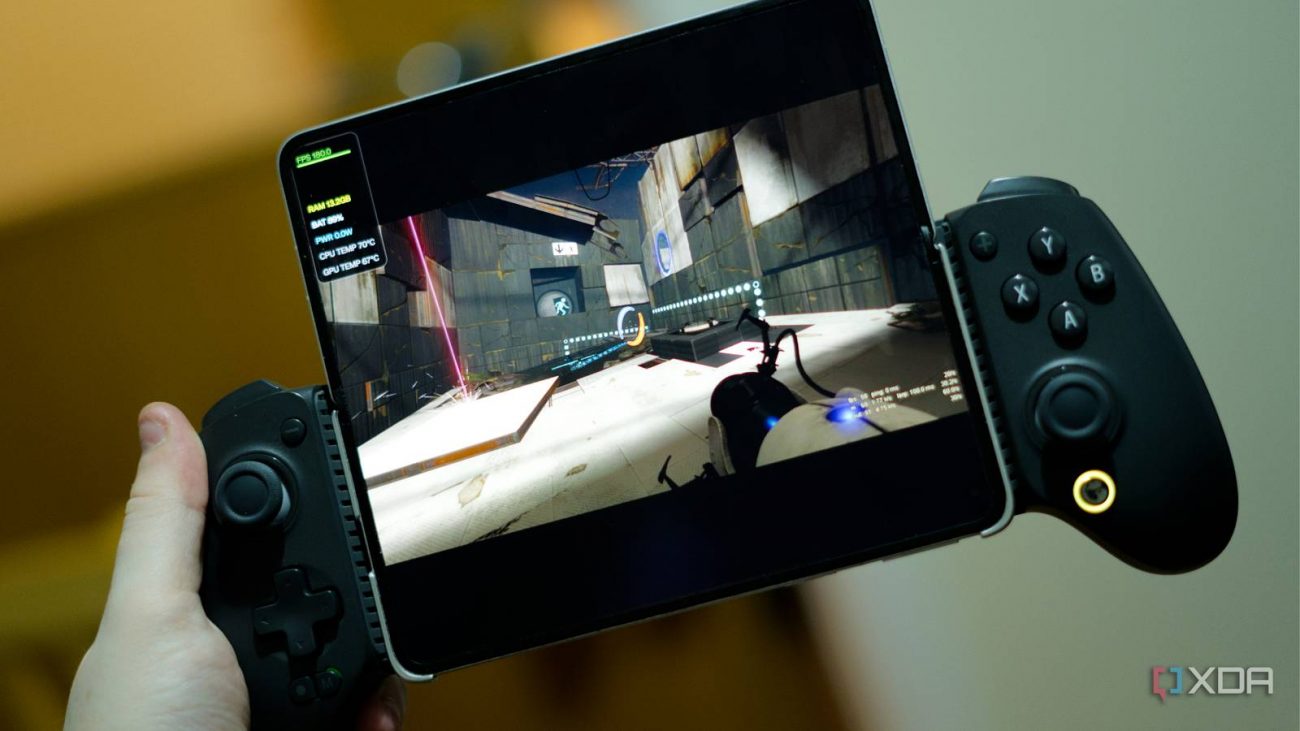
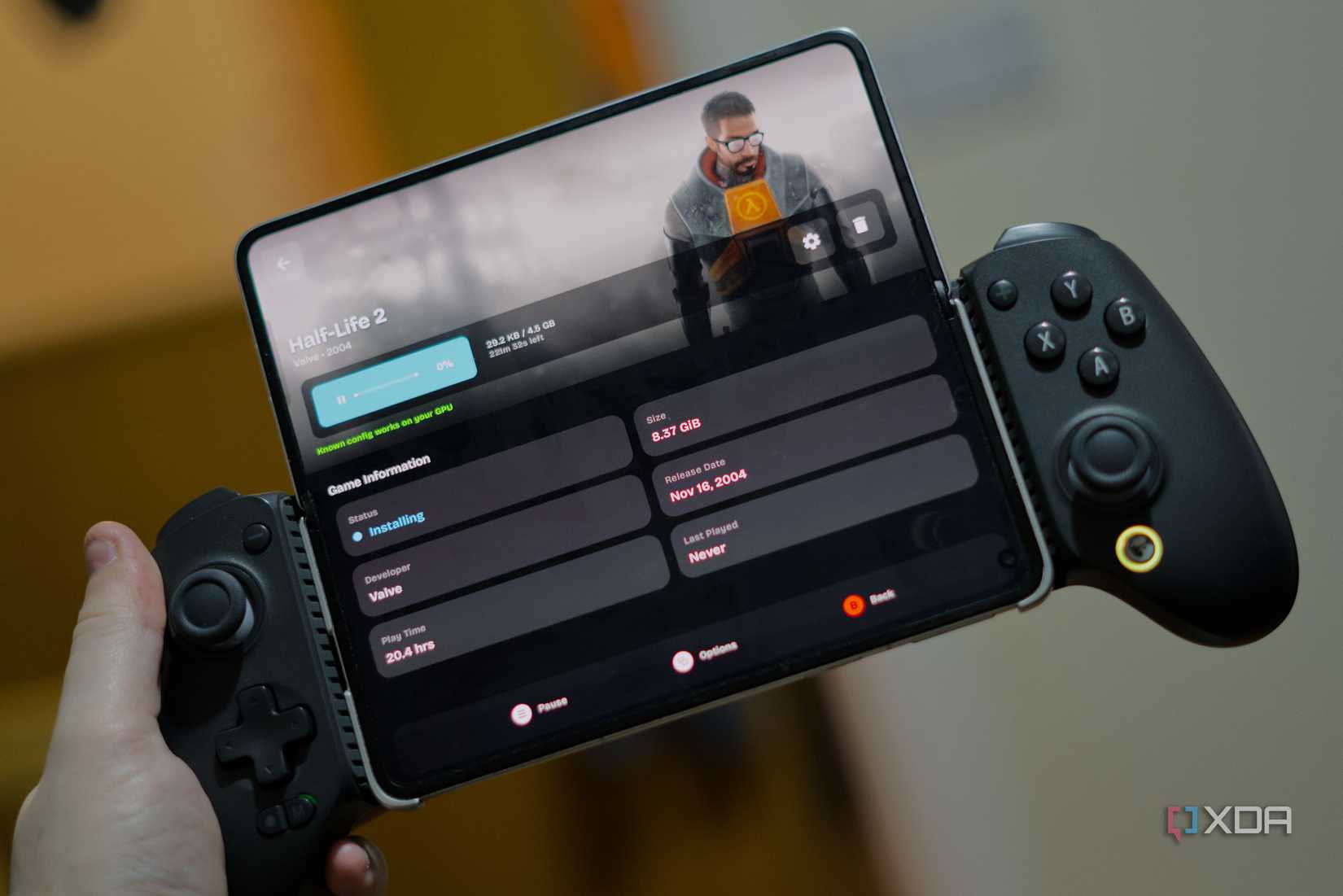
The integration is still marked as beta, it only works reliably on Proton 10 for now, and you’ll need to enable it on a per-container basis. I tested it with Half-Life 2 and Portal 2 and it worked perfectly, but Cyberpunk 2077, which uses Proton 11, crashed. As well, the notes warn that online play may not always work, and Dalal is upfront that “our integration of it is still a work in progress.” But even in beta, the architectural shift is a pretty big deal, as running Steam natively frees up precious resources for where they matter most: your games.
The immediate thing I noticed when first starting up GameNative was the login flow. GameNative 1.0 supports Steam Guard TOTP sign-in, so you authenticate with a code from your authenticator app and you can even scan a QR code to login just like you would with the official Steam app. Once logged in, your Steam library appears, complete with your playtime, achievements, and cloud saves. You tap a game, hit install, and it downloads.
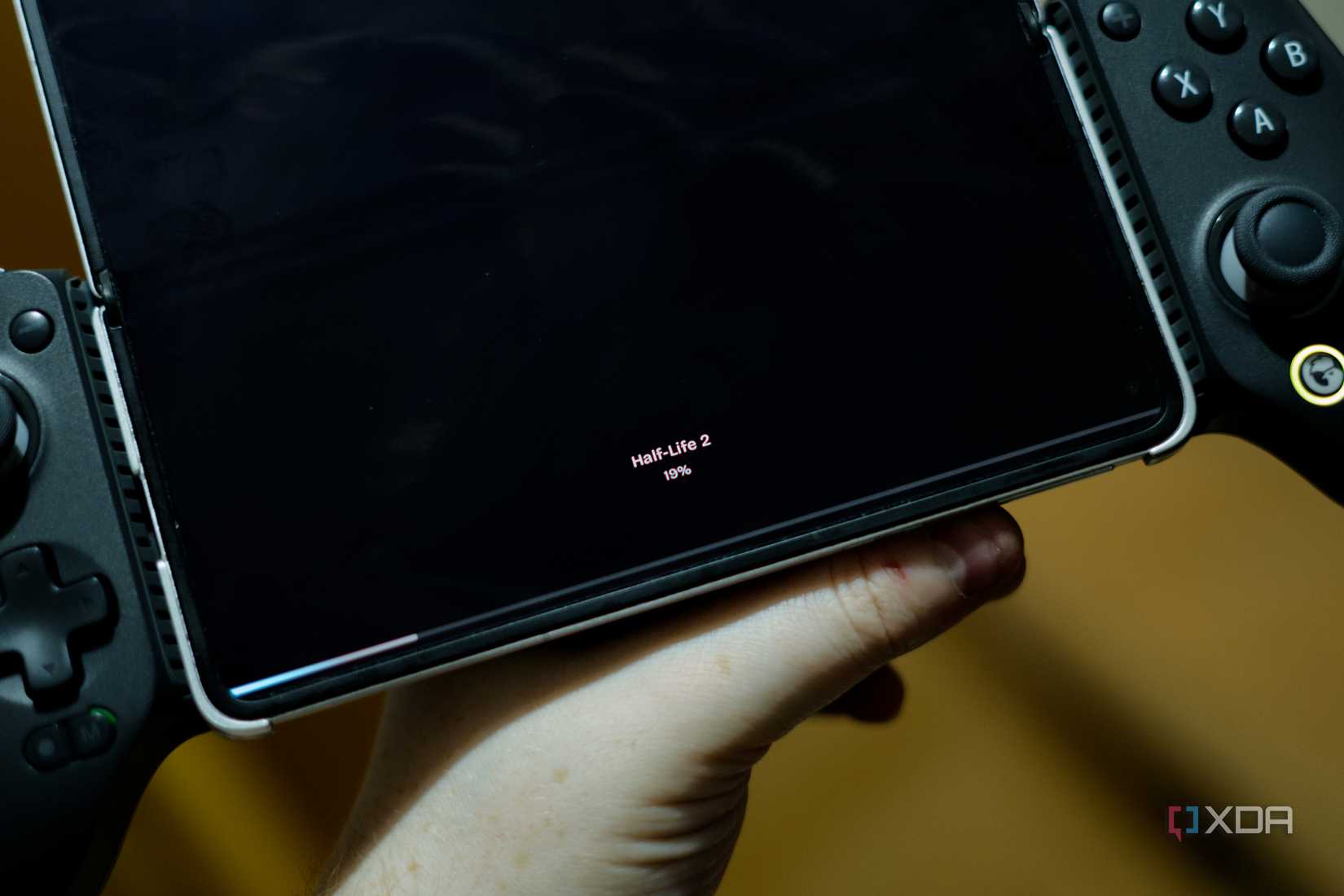
That last part sounds fairly standard if you’ve only ever used Steam on a PC, but it’s genuinely a big deal here. On Winlator, installing a Steam game means opening the desktop Steam client inside the container, navigating its UI through a touchscreen or controller, and waiting for the Windows build of Steam to handle the download through the translation stack. GameNative handles the download natively, the way any Android app would. There are small details too; for example, when you don’t touch the screen for a while, the progress bar moves to the bottom of a completely black screen with the game’s name above it. On an AMOLED phone like the Find N5, the black pixels are switched completely off, meaning there’s no distracting backlight.
Cloud saves sync automatically when you install or uninstall a game. Steam DLC, workshop mods, and game branches are all supported. Playtime is tracked and reported back to Steam, and there’s a fix in this release for the old bug where it would stop tracking after the device went to sleep. The DRM handshake happens through the bionic client instead of a translated Steam process, so games that need Steam running to launch work without the desktop client’s overhead.
The things that still don’t work are mostly around online multiplayer. The bionic client can handle matchmaking calls in theory, but in practice it’s inconsistent. The release notes highlight that online play isn’t always reliable yet, and Dalal confirmed the integration is ongoing work. For single-player games with Steam DRM, though, it’s enough, and that covers the vast majority of what people are trying to play on a phone.
GameNative’s approach to compatibility is fundamentally different from Winlator’s. Winlator gives you a Windows desktop and expects you to configure your own containers: pick a Wine version, pick a DXVK version, set Box64 variables, import Turnip drivers. GameNative hides all of that. When you install a game, the app pulls a community-sourced config that someone else has already tuned for your hardware, and it applies it automatically. As Dalal explained it, “Winlator and those components provide the groundwork for games to work, GameNative’s original contributions are actually getting them working — store integrations for downloads and cloud saves, DRM handling, ‘known configs’ which makes them boot without tweaking, personal and game-specific support in the Discord, etc.”
In my case, the numbers back this up. Of the 241 games in my Steam library, 221 show as compatible, meaning a known config exists that should work on my Snapdragon 8 Elite. To be clear, I’m not going to test all 221, but titles like Half-Life 2 and Portal 2 both work perfectly now… a far cry from what I could say a few weeks ago with GameHub Lite. It’s important to know, though, that “compatible” doesn’t mean “runs at 60 FPS with no issues,” but it does mean someone has put in the work to make it boot without you touching a single setting. For the games that I’ve tested, all I’ve had to do was download the game and then hit play once it’s finished.
I tested on the same Oppo Find N5 that I couldn’t get Portal 2 running on a few weeks ago. Last time around, I threw every Winlator fork, Turnip driver version, and Box64 preset at it and got nothing past the main menu. Yet this time around, it ran almost perfectly. There were some shader-compilation-related freezes at first as I played (or at least, that’s what I’m assuming those were), but they smoothed out as I played. Half-Life 2 ran even better, playing smoothly from the very beginning. There’s an on-screen HUD you can enable showing performance, and while the FPS counter seems a bit off (as it sat at, mostly, 180 FPS while the game itself was limited to 60 FPS), it still shows you other useful stats, too. Cyberpunk 2077 didn’t really work well at all, but that’s an especially intensive game.
The GameNative 1.0 release also pulls in a Vulkan renderer from Winlator Ludashi, contributed by StevenMXZ. In practice that means better frame rates and noticeably lower input latency on Adreno devices. The controller stack got a substantial rework too: input is more responsive and simultaneous D-pad and left-stick inputs no longer fight each other.
GameNative’s support and config discovery live on Discord, the same as practically every other app in this space. It’s functional with 35,000 people in it, but I still don’t love that the definitive sources of information for PC gaming on Android are gated behind chat servers rather than indexed somewhere searchable. It’s the same fragmentation problem I’ve talked about before, and it’s incredibly frustrating when it seems to replace the typical place you’d find public information on things like this.
GameNative has almost a million users across every country (except for North Korea) according to the data Dalal, which means that every single one of them sideloaded the APK from GitHub. That also means navigating Android’s “Install unknown apps” permission, dismissing any warnings along the way, and generally doing things that most phone owners never do. That’s why the next frontier is the Play Store, and Dalal explains why it matters: “The people who need GameNative most are exactly the people who won’t sideload an APK.”
The 1.0 release has two different versions in order to bridge that gap. The Legacy APK is the full build: D-drive access, custom non-store games, glibc support, and everything GameNative has. The Play Store APK strips out features that conflict with Play Store policy, including all-files access and D-drive support, and targets newer Android API levels so it installs cleanly without warnings. It’s not on the Play Store yet, but the groundwork is done, and GameHub’s continued presence on the store is the best precedent for GameNative making it through.
It’s a trade-off that’s easy to underrate. Losing D-drive access means you can’t easily just manually drop game files into a container, which cuts off a huge portion of the tinkering audience or can even just be used to save time by copying a game from your PC to your phone. Still, the tinkering audience already sideloads the app, so that’s not really a downside. The Play Store build isn’t for them. It’s for the person who searches “play Steam games on phone” and expects to find something in the Play Store that just works. Dalal told me the team has been careful on the policy side: “We’re clear that users must own the games they play, and we’ve structured the app accordingly.”
Whether Google lets it stay there is another question. Apps in this space walk a fine line. They’re distribution platforms for PC games, not emulators in the traditional sense, but they still enable running software on hardware it wasn’t built for. Google has strict rules about dynamic code execution in applications, which is why the GameHub precedent is important. I wouldn’t call it a sure thing that it gets approved, but the pieces are in place that it definitely could be, and Dalal is doing everything to ensure it’s compliant.
I asked Dalal what winning looks like to him, and his answer was more specific than I expected. “Winning is the moment someone buys a $200 Android handheld/phone instead of a $1,000+ gaming PC or a $600 PC handheld and doesn’t feel like they compromised.” GameNative at 1.0 isn’t quite there yet, but it’s a lot closer than I thought it would be. The bionic Steam client removes the most wasteful layer of the stack, and the Vulkan renderer closes the performance gap. If Play Store build is approved, it removes the last barrier for the people who need it most.
That last part is a pretty big if, though in fairness, I struggled with getting Portal 2 running on this phone just a month ago. GameNative is the best option out there for PC gaming on your phone, and it’s an incredible achievement to get as much running as it already does.