
The topic Google Chrome is installing a 4 GB AI model onto your device. Here’s how you can… is currently the subject of lively discussion — readers and analysts are keeping a close eye on developments.
This is taking place in a dynamic environment: companies’ decisions and competitors’ reactions can quickly change the picture.
While Google Chrome is still the most popular browser, it’s feeling the heat from the new wave of AI browsers, including Perplexity Comet, Dia, and more. To stay relevant, Google is adding new AI features to Chrome, which is not necessarily bad, however, this time it has taken a step too far.
Open your file manager and look for a folder called “OptGuideOnDeviceModel”. If you find it, Chrome has been using your storage as its personal server room. Inside that folder sits a file called “weights.bin”, a roughly 4 GB file containing Gemini Nano, Google’s on-device AI model.
Privacy professional Alexander Hanff discovered and documented this behavior using macOS’s own filesystem event logs, which track every file created or modified at the operating system level.
On a freshly created Chrome profile that received zero human input, the entire 4 GB model installed in under 15 minutes while a tab was just sitting there.
No, they didn’t. In fact, Chrome doesn’t even asks for permission to install the model, it just does it on its on. The model downloads automatically once Chrome decides your hardware meets its requirements, before you have ever used a single AI feature.

And if you find and delete the file, Chrome re-downloads it the next time it runs. Hanff noted that “the user’s deletion is treated as a transient state to be corrected, not as a directive to be respected.”
It gets more interesting. The most visible AI feature in Chrome, the “AI Mode” pill in the address bar, doesn’t even use the local model. It sends your queries to Google Gemini servers. The on-device model powers buried features like “Help me write” in text boxes and on-device scam detection.
While this might seem like affecting only your device’s storage, Hanff said that it has overarching climate impact. He estimates that if 500 million devices received this download, the bandwidth alone translates to roughly 30,000 tonnes of CO2 emissions, equivalent to around 6,500 cars running for an entire year, and that is just for the delivery, not actual usage.
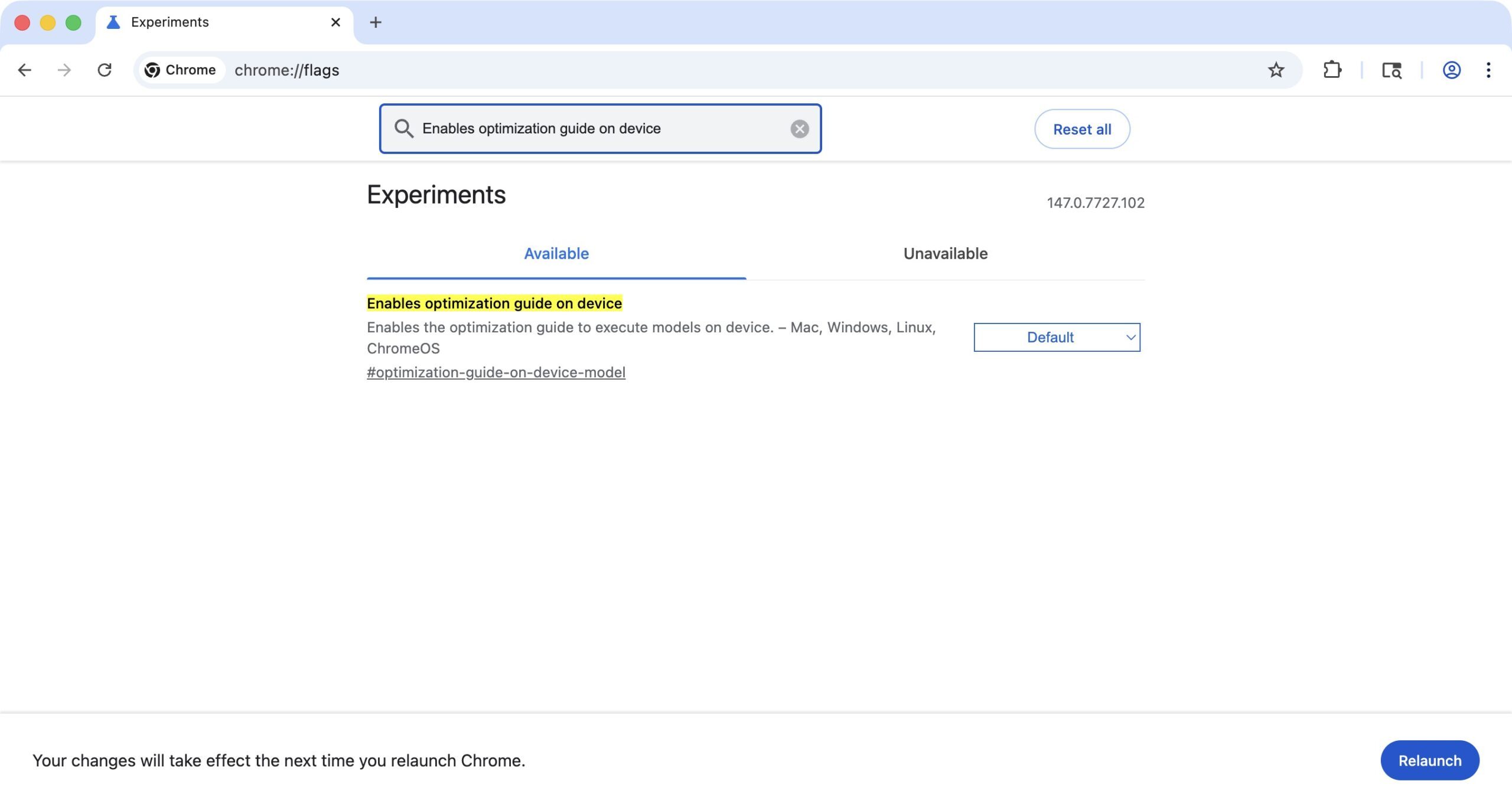
Google needs to make this download require a user confirmation. For now, you can disable the download using “chrome://flags”. Search for “Enables optimization guide on device” and turn it off. It takes more steps than it should, but it works.