
The topic Claude just got a scam detector, and it could save you from a costly mistake is currently the subject of lively discussion — readers and analysts are keeping a close eye on developments.
This is taking place in a dynamic environment: companies’ decisions and competitors’ reactions can quickly change the picture.
Thanks to AI’s content generation capabilities, scams are getting harder to detect. according to the data Malwarebytes’ research, 66% of people say it’s hard to tell a scam from the real thing. AI-generated scams are becoming so good that even tech-savvy people are getting caught off guard.
The problem is compounded as more and more people start relying on AI for the answers to all their questions. People are increasingly turning to AI browsers and tools like Claude for everyday questions, from what to wear to a function, to which restaurant to try on a trip. It won’t be long before those same people ask their AI tools how to stay safe online.
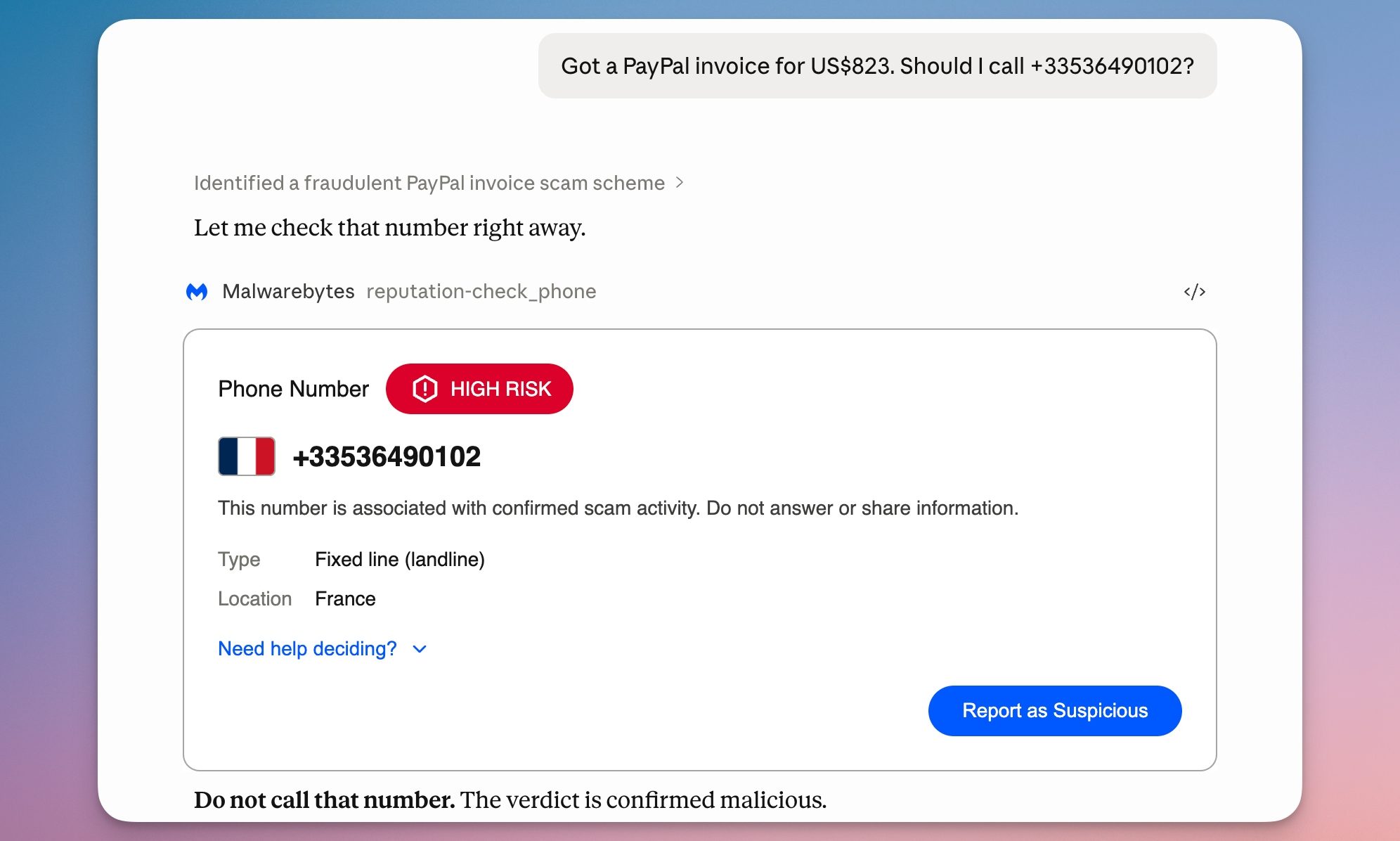
Currently, there are not many tools that can warn you of suspicious and scammy content in AI. Malwarebytes wants to tackle this issue by integrating its threat intelligence directly into Claude, making it easy to check dubious content without leaving your conversation.
Once you connect Malwarebytes to Claude, you can paste any suspicious link, phone number, or email address and ask Claude to check it. You’ll get one of four verdicts: safe, malicious, suspicious, or unknown. Each verdict comes with guidance on what to do next.
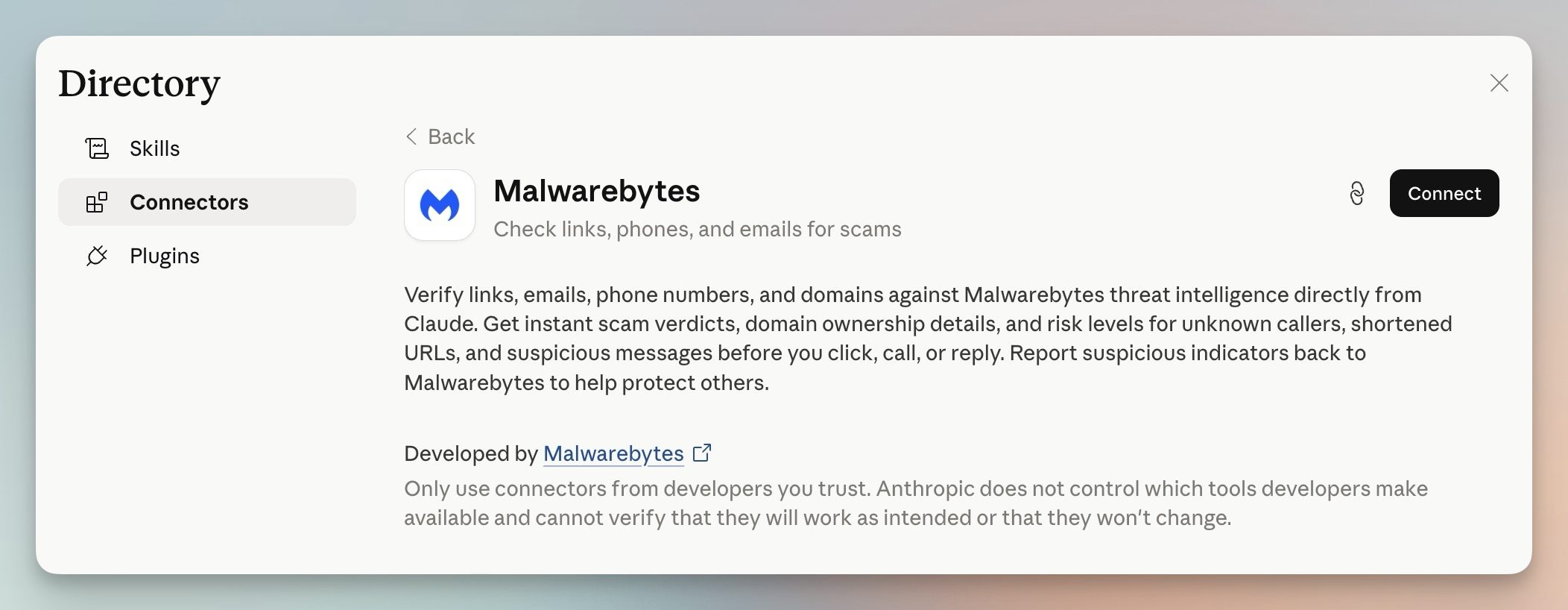
You can set up Malwarebytes like you set up any other Claude connector. Open Claude, go to Customize → Connectors. Hit the plus button, search for Malwarebytes, and click Connect. The best part is that you don’t need a Malwarebytes account.