The topic Samsung S26 Plus Review: Consistently boring is currently the subject of lively discussion — readers and analysts are keeping a close eye on developments.
This is taking place in a dynamic environment: companies’ decisions and competitors’ reactions can quickly change the picture.
The middle child is out. For years, Samsung has stuck to its holy trinity formula for the Galaxy S lineup: the regular, the Plus, and the top – tier Ultra (formerly known as “we killed the Note but kept its soul”). And somewhere in that evolution, the Plus model quietly lost its identity.
Once upon a time, the Plus was Samsung’s version of today’s Pro Max – big screen, big battery, big deal. Then Samsung had a lightbulb moment: merge the Note into the S series, birth the Ultra, and… well… leave the Plus to figure out its life choices. Since then, the Plus has essentially become the middle child – technically present, emotionally neglected, and strategically confusing. And apparently, Samsung is perfectly okay with that. It delivers where it matters, but the competition is just doing better.
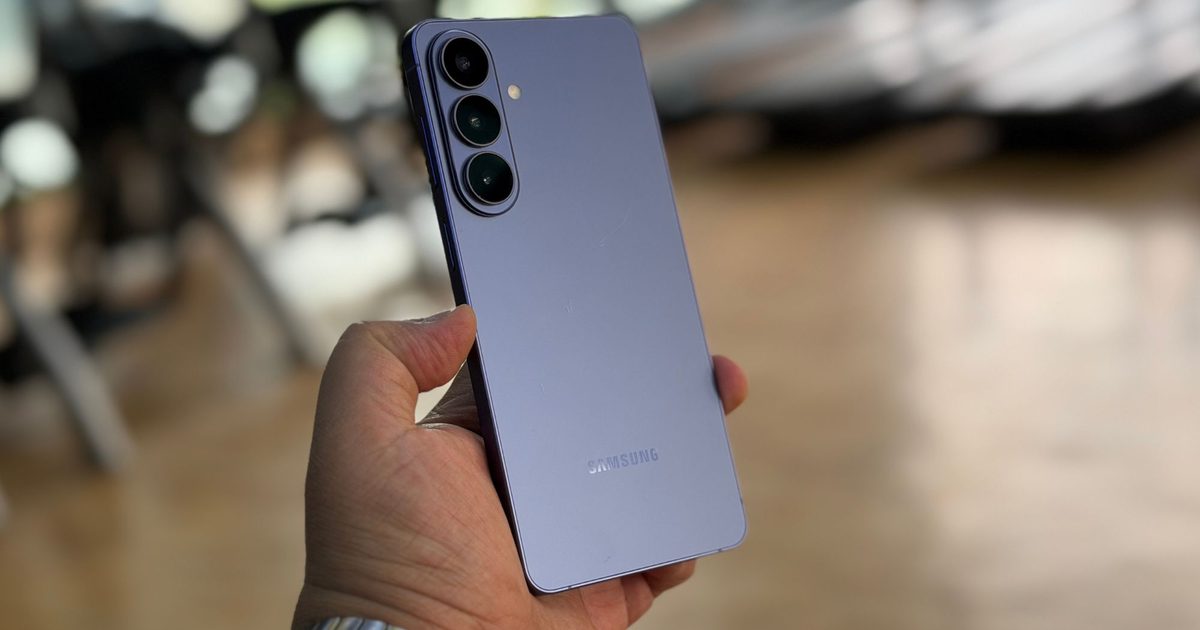
Let’s talk about the Galaxy S26 Plus. At first glance – and even second, if you’re being honest – you’d struggle to tell it apart from the S25 Plus. Same vibe, same silhouette, same “haven’t I seen you before?” energy. But wait, there is a change. Brace yourself. The camera island.
Gone are the individual camera rings poking out of the back like awkward antennae. Instead, Samsung has bundled them into a single raised housing. Revolutionary? Not quite. Noticeable? Barely. Practical? Debatable.
In fact, this tiny tweak manages to introduce two new annoyances. One, the phone now wobbles even more when placed on a flat surface – great for anyone who enjoys typing on a seesaw. And two, congratulations, your old cases are now useless. Because of course they are.
Now, to be fair, the Galaxy S26 Plus isn’t a bad phone. It’s fast, polished, and does everything you’d expect a flagship to do. The problem isn’t what it is – it’s what it isn’t.
Because sitting right next to it in the lineup is the Galaxy S26 Ultra. And that phone doesn’t just exist – it dominates. Better cameras, more features, bigger battery, more personality. It’s the one Samsung actually cares about. The one reviewers obsess over. The one buyers save up for.
The Plus? It’s the awkward stepping stone. The phone you consider briefly before convincing yourself to just spend a bit more and get the Ultra. And that, ironically, seems to be its entire purpose.
Every year, Samsung launches three flagships. But let’s be honest – only one truly matters. The Ultra is the headline act. The regular S26 at least has the “compact flagship” angle going for it. The Plus? It just… exists.
And that wouldn’t be such a big issue if the S26 Plus brought something unique to the table. But it doesn’t. It’s eerily similar to the S25 Plus, which was already a minor remix of the S24 Plus, which itself wasn’t exactly rewriting history. At this point, the Plus lineup feels less like a product category and more like a copy-and-paste tradition.
Meanwhile, even last year’s S25 Edge experiment – flawed as it was with its missing telephoto lens and underwhelming battery – at least tried something different. The S26 Plus doesn’t even attempt that. It plays it safe to the point of invisibility.
Quick take: If your buying requirement is more focused on display, then you won’t be disappointed.
If there’s one department where Samsung simply refuses to fumble, it’s the display – and surprise, surprise, the Galaxy S26 Plus continues that tradition like a straight – A student who never skips class.
You’re looking at a 6.7 – inch QHD+ Dynamic AMOLED 2X LTPO panel, which is basically Samsung’s way of saying, “Yes, we’re still better than everyone else at this.” It’s sharp, it’s ridiculously bright, and colours pop like they’ve had three cups of coffee. With up to 2600 nits of peak brightness, this thing doesn’t just survive sunlight – it stares back at it.
Specs – wise, it ticks all the flagship boxes: 120Hz adaptive refresh rate, HDR10+ support, razor-thin bezels, and the usual punch-hole selfie camera floating up top like it owns the place. And yes, if all of this sounds familiar, that’s because it is. It’s essentially the same panel as last year’s S25 Plus. And the year before that didn’t look too different either.
But here’s the thing – when something is already this good, it’s hard to complain. Content looks crisp, colors are vibrant without being cartoonish (especially in Natural mode), and everything just feels premium. It’s less “wow, this is new” and more “yep, still excellent.”
Still, a tiny part of you wishes Samsung would push things forward just a bit more. Higher refresh rate? Better power efficiency? Something. Anything. But no, Samsung seems content saying, “If it ain’t broke, we’re definitely not fixing it.”
Quick Take: Samsung does give you everything that you need, and everything else you don’t need as well.
One UI can best be described as an acquired taste. If you want your Android phone to do a lot more than the vanilla experience on Pixels, this is where you start. Plus, Samsung’s phones — especially the Galaxy S and Z flagships — get nearly all the AI-driven features that you get on Google phones, so there’s that consolation, as well.
Samsung still asks you to install some third-party apps when you first set up the phone, but it’s nothing you can’t avoid. There are still a handful of pre-installed in-house apps, but they aren’t going to bring your phone to its knees due to resource burden, so you can quietly ignore them. The rest of the package is pretty clean and rewarding, although not nearly as snappy as the revitalized Oxygen OS experience on the OnePlus 15.
Samsung’s software is a specific flavor of Android. You’ll either embrace the deep customization offered by in-house perks such as the Good Lock modules, the desktop-wannabe DeX environment, and AI, or find yourself longing for minimalism. It’s a choice between raw aesthetic purity and a feature-dense, uniquely Samsung experience.
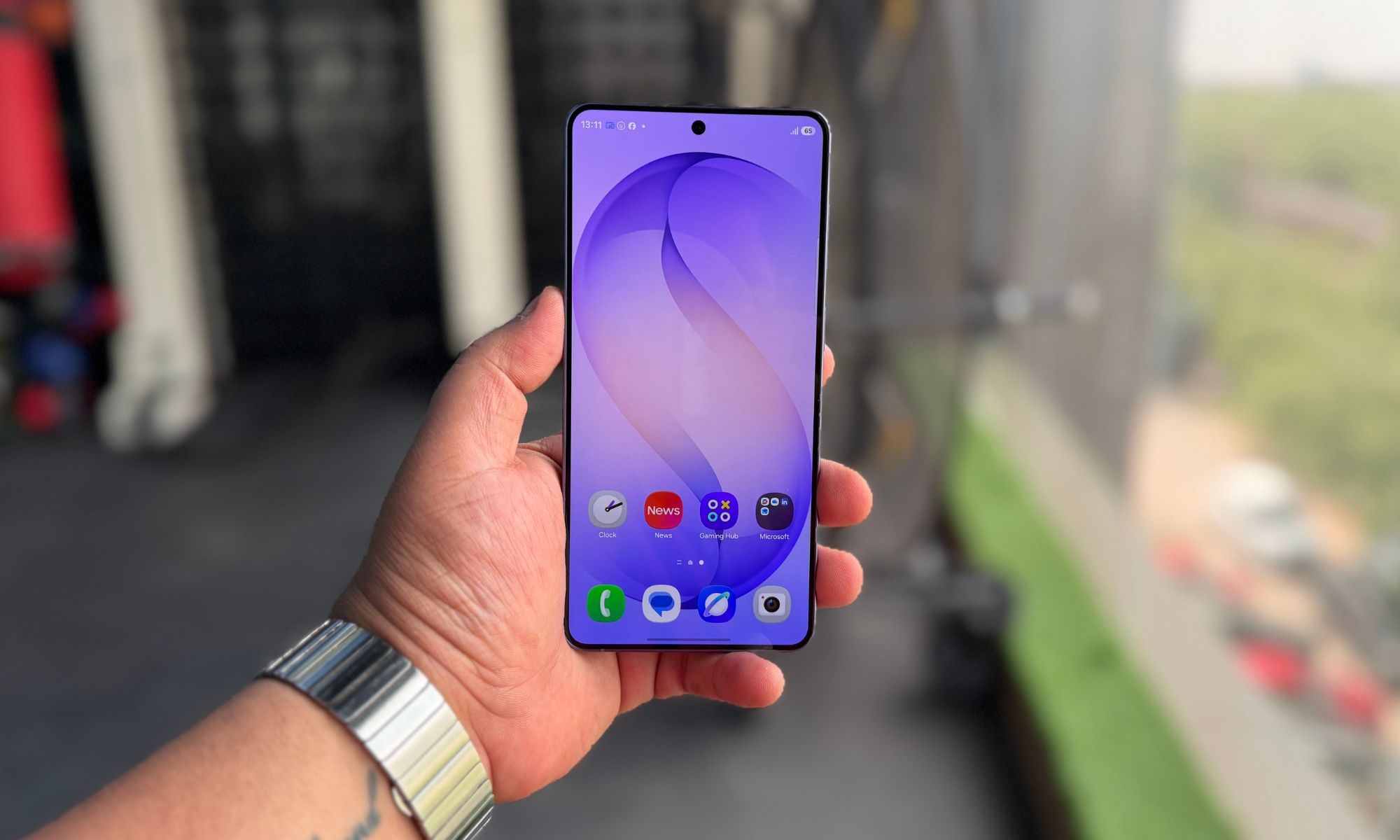
One UI 8.5 is fluid and offers enough polish to keep the device feeling modern and exceptionally responsive. The animations are impressively fluid; navigating the app drawer feels instantaneous. Multitasking is jitter-free, and visual touches like the soft translucent gradient on the notification shade set the interface apart.
A standout utility is the side-panel. It’s a vertical dock accessible from the screen edge, but usually hidden, that provides quick access to essential tools and most-used apps, eliminating the need to dig through the app library or settings. The intent is clear: streamlining your workflow by keeping frequent tasks within reach.
But the real talking point of One UI 8.5 is AI. I know. I know, but bear with me. In 2026, AI is a mandatory inclusion, and Samsung has integrated it extensively. However, many of these features lean heavily on established concepts pioneered by Google’s Pixel lineup. But they are here, and I am not complaining.
Does it work? For the most part. It removed the glasses from the faces of my friends, but randomly decides that it can’t repeat the same trick two days later. On one occasion, I asked it to remove the cap, and it wiped away a whole face. It fails at physics and geometry, mostly.
for example, when I asked it to erase a few items in a night shot of a road, it removed the humans, but left their upright bikes in the frame. Audio Eraser is a notable exception. By allowing this tool to function within third-party apps, Samsung has meaningfully boosted the utility.
Features like Call Screening and the “Now Bar/Brief” widgets feel very similar to Google’s “At a Glance.” Even though they are derivative, they are practical, as well. Then there is Now Nudge, which is borrowed from Magic Cue and provides context-aware suggestions. While texting about a trip, it appeared as a small pill with details pulled from a reservation email.
In practice, however, it didn’t work as reliably as I would’ve liked. It primarily functions within standard messaging, often ignoring emails and failing to trigger when most needed. I believe it will truly kick into action once the device has enough data on you.
Now Brief, pitched as a personalized daily rundown, also struggles to find its footing. Rather than intelligently organizing your life, it often feels like just another notification to dismiss. The trade-off is that you provide plenty of personal data for a relatively minor informational payoff.
On the positive side, there are other AI utilities that prove their worth. Call Assist provides helpful real-time translations and automated call handling. The Interpreter feature is excellent for cross-language communication, and Writing Assist also comes in handy for refining your crude emails when you’re in a rush.
From image editing to health analysis, Samsung has woven AI into almost every corner of the OS. However, the sheer volume of features creates a “discovery burden.” Without more proactive implementation, many of these tools will likely remain unused by the average consumer. Now Nudge is a rare example of a proactive tool, but it currently lacks the reliability seen in Google’s Magic Cue.
I am, however, glad to see that Samsung addresses the privacy concerns that come tagging alongside deep AI integrations. Users can opt for entirely on-device processing, making sure that personal data never leaves the hardware. Permissions can be managed on a per-app basis, which means you can disable AI access for the Gallery, for example.
The “Personal Intelligence” settings also allow for easy data management, including the ability to wipe identifying information like phone numbers and passport details.
Gemini Automations represents the future of this tech. Though currently limited in scope, the ability to summon Gemini to perform tasks without ever opening the specific app is genuinely impressive.
This ecosystem is still maturing, facing hurdles in security and reliability. However, the foundation is laid. It is only a matter of time before the on-device Gemini Nano model becomes a standard interface for handling daily digital chores. While that future isn’t fully realized, Samsung’s One UI is keeping pace with Google. Samsung actually leads in automation management with its dedicated hub for routines, which is significantly more intuitive than Apple’s Shortcuts.
Another crucial aspect is the software’s longevity. On the Galaxy S26 series, Samsung is promising seven years of Android OS upgrades and security patches. You likely won’t be using the phone for as long, but the commitment remains the best among all Android labels and nearly rivals the iPhones.
Quick Take: Very minor improvement. We hope your buying decision was not hinged on the S26 Plus having outstanding cameras.
If you were hoping Samsung would shake things up with the Galaxy S26 Plus cameras – well, I hope you weren’t too emotionally invested. Because yes, they’re the same. Again. Now, to be fair, this isn’t a disaster.
Samsung’s camera system has been consistently good for years, and the S26 Plus continues that streak. You still get a 50MP main sensor, backed by ultrawide and telephoto shooters that are perfectly capable in most situations. But when the Ultra sibling is out there getting all the fancy upgrades – better sensors, wider apertures, more zoom muscle – it’s hard not to feel like the Plus got the “copy last year’s homework” treatment.
In good lighting, the S26 Plus delivers exactly what you’d expect: sharp, detailed, and nicely balanced images. Colors lean more toward realism than the overly saturated look Samsung was once infamous for, which is a welcome change. Skies don’t look like someone cranked the blue slider to max, and greenery actually resembles… well, greenery.
Dynamic range is decent, though not particularly impressive. It gets the job done, but you might occasionally notice highlights blowing out or shadows lacking a bit of depth. Still, for most people, it’s more than serviceable.
The ultrawide camera holds up well, too, maintaining good detail and consistency with the main sensor. The telephoto lens is similarly reliable, especially up to about 10x zoom, where images remain usable and reasonably sharp. Push beyond that, however, and things start to unravel – detail drops off, noise creeps in, and you’re reminded that this is not the Ultra.
That said, Samsung does seem to have tweaked the digital zoom slightly compared to last year. It’s not groundbreaking, but it’s noticeable enough to count as progress – which, at this point, feels like a small victory.
One feature that does stand out is the Horizontal Lock for video. And honestly, it’s kind of brilliant.
No matter how shaky your hands are – or how dramatically you decide to rotate the phone – the footage stays level. You can practically spin the device around like you’re filming an action sequence, and the horizon just refuses to budge. It’s oddly satisfying and surprisingly useful, especially for casual video shooting.
It’s one of those features that makes you go, “Okay, that’s actually new,” which is more than can be said for most of the hardware here.
Samsung has also given the Gallery app some love, particularly with the upgraded Photo Assist feature. This is where things get a bit more playful.
You can use natural language to edit your photos – add objects, remove distractions, even swap elements between images. Want to put a hat from one photo onto your head in another? Done. Feel guilty about that donut? Replace it with a bowl of yogurt and pretend you made better life choices.
It’s clever, it’s intuitive, and it works surprisingly well most of the time. But it’s not a full replacement for proper editing tools. If you want to fine – tune lighting, colors, or more detailed adjustments, you’ll still need to jump into something like Google Photos.
Low-light imagery is also a point where the S26 Plus does not shine. Yes, one can argue that details do look crisp and in place, but don’t expect anything out of the ordinary. If you are using the ultrawide lens, colors may look muted in the dark or under moonlight. Artificial lighting is also a problem sometimes, but thanks to AI processing, your photos look social media-worthy all the time.
But all is not good, because the overall low – light performance is where most things start to slip. Images often show noticeable color noise, and while night shots are usable, they’re far from class – leading. It’s another area where the Ultra – and even some competing flagships from Chinese brands – pull ahead quite comfortably.
Zoom, too, feels outclassed. It’s fine, but “fine” doesn’t really cut it when others in the same price bracket are doing significantly better.
Quick Take: The only part where we loved the S26 Plus to bits. But in the end, it’s the middle child getting middle-child treatment.
Now here’s where Samsung did make a change – the new Exynos 2600 chip. And yes, on paper, it sounds like an absolute monster.
Built on a shiny 2nm process, the Exynos 2600 is all about efficiency, power, and – surprise – AI. Because in 2026, if your chip doesn’t scream “AI,” does it even exist?
Samsung has ditched the traditional big – middle – little core setup and replaced the smaller efficiency cores with mid – tier ones. The idea is simple: better sustained performance without sacrificing efficiency for everyday tasks. In theory, this should mean smoother multitasking and less throttling under load. And boy does it deliver!
Samsung claims up to a 39% boost in CPU performance compared to its predecessor, which we’re assuming is the Exynos 2500, a chip that quietly lived and died inside a foldable without making much noise. So yes, it’s an upgrade… but from a baseline most people barely experienced.
AI performance, though, is where Samsung is really flexing. The upgraded NPU supposedly delivers up to 113% better performance, along with lower latency and improved efficiency. All of this is meant to power the growing list of on – device AI features we talked about earlier.
And sure, it does. Everything AI – related feels quick and responsive. But here’s the thing – you don’t really feel that 113% improvement in day – to – day use. It’s more of a “nice to have” than a “wow, this changes everything” moment.
Graphics are handled by the new Xclipse 960 GPU, which promises big gains as well – up to double the compute performance and 50% better ray tracing. In practice, gaming is smooth, stable, and visually impressive. But again, it’s not dramatically different from what high – end chips were already doing last year.
The phone is paired with 12GB of LPDDR5 RAM and fast UFS 4. X storage (likely 4.2, though Samsung prefers to keep things a bit mysterious). Apps open quickly, multitasking is effortless, and everything runs as it should. But here is the part most reviews won’t tell you.
The Samsung Galaxy S26 Plus delivers exactly what you’d expect from a modern flagship – serious horsepower backed by surprisingly consistent real-world stability. After running a mix of synthetic benchmarks and actual gaming workloads like BGMI and Zenless Zone Zero, it’s clear that Samsung is prioritising sustained performance just as much as peak numbers this time around.
Starting with real-world gaming, BGMI is where the phone really flexes. Running at 120fps, the S26 Plus manages to hold that ceiling remarkably well. Across extended sessions, the frame rate hovered consistently in the 118-120fps range, with only minor dips during heavy combat or smoke effects. What stands out here isn’t just the peak, but how flat the frame-time graph feels – no aggressive spikes, no jitter, and most importantly, no noticeable stutter. This is the kind of stability competitive players actually benefit from.
Thermally, BGMI performance remained controlled. Even during longer sessions, the device stayed within a manageable temperature window, never reaching uncomfortable levels. This aligns with your stress test data, where temperatures during sustained loads peaked in the mid-40s (around 44-47°C in Solar Bay stress scenarios), which is fairly typical for high-performance Android flagships but still within acceptable limits given the output.
Switching to Zenless Zone Zero, which is significantly more GPU-intensive, the Galaxy S26 Plus continues to impress. Running at a locked 60fps with high visual settings, the gameplay remains smooth and consistent. Frame rates rarely dipped below the 58-60fps range, even during chaotic combat sequences with particle-heavy effects. This suggests that the GPU isn’t just powerful, but also well-optimised for sustained loads.
What’s interesting is that despite the heavier graphical demand, thermal behaviour didn’t spiral out of control. The device maintains performance without aggressively throttling within short-to-medium sessions. However, as your stress test data indicates, longer workloads do introduce some performance scaling.
Looking at the 3DMark Solar Bay results, the S26 Plus scores an impressive 13,770, placing it ahead of 96% of tested devices. That’s flagship-tier performance, no question. Average FPS sits at around 52fps, with peaks crossing 57fps in lighter sections. But the real story lies in stability. The Solar Bay stress test shows a stability rating of 74.3%, which means the device does throttle under sustained load, though not dramatically.
The Wild Life Extreme stress test further reinforces this pattern. With a best loop score of 7,037 and a stability rating of 71.4%, the device retains roughly 70% of its peak performance under continuous pressure. In practical terms, this means you’ll see some drop-off during very long gaming sessions, but not to the point where gameplay becomes unpleasant. To put things in an even perspective, the S26 Plus scored better than the Oppo Find X9 Pro and the iPhone 17 Air. It also scored marginally more than its predecessor, the Galaxy S25 Plus.
The GPU throttle test paints a slightly more aggressive picture, showing around 47-50% throttling over extended durations. That sounds alarming on paper, but context matters. Even after throttling, the device stabilises around the 50-60% performance range, rather than continuing to drop further. This plateau behaviour is actually a good sign-it indicates controlled thermal management rather than erratic performance swings.
Another important detail is consistency. The fluctuation values in our tests are negligible (hovering around ±0.04%), which means frame pacing remains stable even when performance drops. This is crucial because inconsistent frame delivery is far more noticeable than a steady reduction in FPS.
Battery drain during benchmarking appears moderate. For instance, Solar Bay stress testing dropped the battery from 24% to 14%, while Wild Life Extreme saw a reduction from 70% to 55%. These numbers suggest that while the device is power-hungry under load – as expected – it’s not inefficient relative to its performance class.
In lighter workloads like Steel Nomad Light, the S26 Plus continues to outperform most competitors, scoring better than 90% of devices. Even here, temperatures stay relatively controlled, peaking around 40°C, which indicates efficient scaling when full GPU power isn’t required.
Overall, the Samsung Galaxy S26 Plus strikes a balance between raw performance and sustained usability. It delivers top-tier benchmark scores, comfortably handles high-refresh-rate gaming in BGMI, and maintains stable 60fps output in demanding titles like Zenless Zone Zero.
Yes, it does throttle under extended stress – roughly down to 70% in synthetic loops and around 50% in worst-case GPU tests – but the key takeaway is consistency. Performance drops are gradual and controlled, not sudden or disruptive.
In practical terms, whether you’re pushing 120fps in competitive shooters or exploring visually dense RPG worlds, the S26 Plus feels fast, stable, and reliable. And honestly, that matters far more than chasing peak numbers alone.
We also ran other benchmark tests on the S26 Plus – on Geekbench, the S26 Plus went up to 3114 in the single-core test and 10,720 in the multi-core test. In comparison, the S26 Plus outshines the S25 Ultra, which stands at 2852/9433, and the S25 Plus, which stands at 2843/9435, in single/multi-core tests.
In the AnTuTu benchmark test, the S26 Plus scored 3,122,478, where the device defeated 84 per cent of its users in CPU tests and 81 per cent of its users in GPU tests. However, I would say benchmark tests are not a sign of real-world long-term performance, and scores will change as time progresses and the storage starts filling up.
And that’s kind of the theme here – everything works really well, as it did on the S25 Plus, or the S24 Plus, or the S23 Plus, or the S21 Plus – albeit with marginally better performance. It just doesn’t feel particularly new. For a $1000+ flagship, we would expect this performance.
Here’s the truth: the Galaxy S26 Plus is fast. Very fast. You won’t run into performance issues, whether you’re gaming, editing, or juggling multiple apps. But so was last year’s phone. And the year before that.
The Exynos 2600 is clearly a technical achievement, but its real – world impact feels incremental rather than revolutionary. It’s like upgrading from a sports car to a slightly faster sports car – you’ll appreciate it, but it won’t change your life.
Quick Take: Battery life is decent, but we won’t start breaking out the metallic Amex card just yet.
The Galaxy S26 Plus packs a 4,900 mAh battery, which sounds decent on paper – and it is, to an extent. In real-world use, it’ll comfortably get you through a full day, even with fairly heavy usage. But don’t expect miracles. By early evening, you’ll likely start eyeing the charger like it’s your long – lost soulmate.
In testing, the phone delivered around 18 hours and 28 minutes in web browsing, which is slightly above average. Video streaming came in at just under 9.5 hours, which is… fine, but not exactly impressive. Add to it gaming, and we were able to push the S26 Plus for an entire day and some hours, which is respectable, but again, nothing groundbreaking.
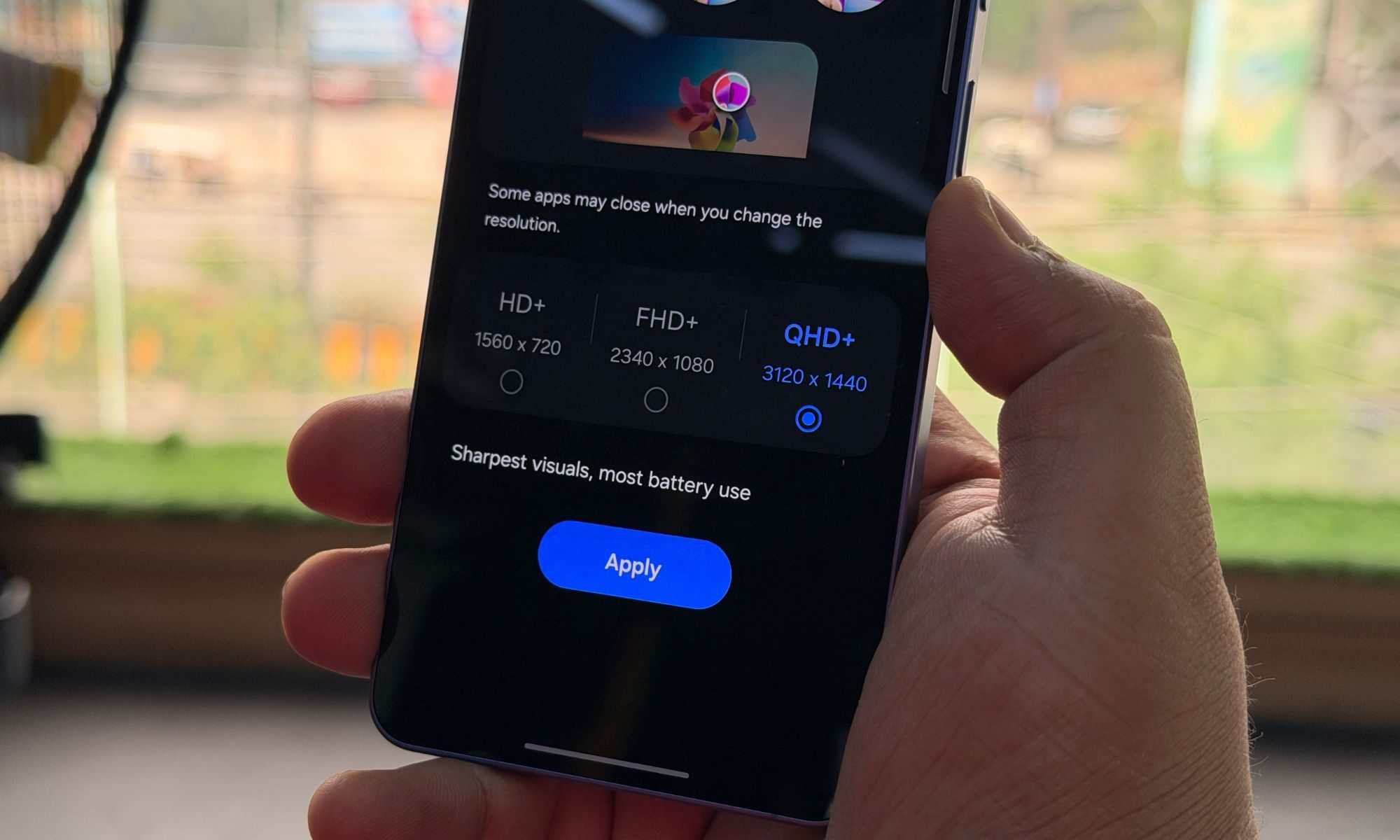
All of this was measured at 75 per cent brightness and QHD+ resolution, so real – world results may vary depending on how much you like blinding yourself outdoors or indoors.
The display? Still doing overtime like the only competent employee in the office – bright, sharp, and carrying the entire experience on its back. So, what about the software? Smooth enough to make you forget you’re basically using last year’s phone with a fresh coat of polish. And AI features? A classic mix of “hey, that’s kinda cool” and “who asked for this?”
Put everything together, and you get a phone that feels undeniably premium – but also one that’s gotten a little too comfortable recycling its own ideas. The cameras follow the same script. They’re good. Dependable. Predictable. The kind of cameras that will rarely disappoint – but rarely impress either.
They don’t push limits, they don’t experiment, and they definitely don’t challenge the best out there. They just keep the engine running. Much like the phone itself. Performance? Fast. Reliable. Efficient. It handles everything you throw at it without breaking a sweat.
But it never really excites you. The chip is powerful on paper, the battery is fine, and the overall experience is solid. Yet it all feels a bit too routine. At this point, “perfectly adequate” might as well be the official slogan of the Plus lineup.
In isolation, the Galaxy S26 Plus is a perfectly fine smartphone. But smartphones don’t exist in isolation – they exist in lineups, in comparisons, in buying decisions. And in that context, the S26 Plus struggles to justify its existence.
It’s not the best. It’s not the smallest. It’s not the most exciting. It’s just… there. The middle child’s energy remains undefeated.
You should buy the Samsung Galaxy S26 Plus if what you want is a safe, reliable flagship that simply works – no drama, no surprises. It delivers strong performance, excellent display quality, smooth software, and dependable cameras that rarely disappoint. In daily use, it feels fast and polished, and even under load, it maintains consistent performance without erratic behaviour.
But here’s the catch – the S26 Plus doesn’t give you a compelling reason to choose it. It doesn’t innovate, it doesn’t stand out, and it doesn’t push boundaries in any meaningful way. It feels like a continuation rather than an upgrade, offering an experience that is very similar to its predecessors.
If you value consistency and familiarity, it’s a solid buy. But if you’re looking for excitement, cutting-edge features, or clear value differentiation, you may find it underwhelming for its price.
The biggest reason to look beyond the Galaxy S26 Plus is its lack of identity. It exists in a space where it’s neither the most powerful nor the most value-driven option in Samsung’s lineup. The Ultra model offers significantly better cameras, more features, and a stronger sense of purpose, while the base model at least caters to those who prefer a compact flagship experience.
The S26 Plus, meanwhile, feels like a middle ground that doesn’t fully justify itself. It’s very similar to previous Plus models, and even compared to competitors, it doesn’t lead in areas like camera innovation, thermal efficiency, or battery performance.
If you’re spending flagship money, you might want either the best or something distinct. The S26 Plus delivers neither. It just offers familiarity, which may not be enough for everyone.
Apple iPhone 17 Pro: The iPhone 17 Pro feels like a breath of fresh air with its new design language, dual-tone-ish finish with aluminium and glass, vapour chamber, and a slightly better camera.
Google Pixel 10 Pro: I usually do not recommend Pixel devices outright, considering they do normal usage in a more flatlined manner with nothing exceptional when pushing heavy performance. But cameras are good, you know!
OnePlus 15: Arguably the most well-rounded competitor with a smoother screen, unique looks, extremely fast charging, massive battery, and heavy-hitting cameras. Plus, the software experience is utterly smooth, and offers plenty of rewarding features.
The last option may be polarising, but we recommend the Oppo Reno 15 Pro – yes, we know you will have to ship it to the US since it’s not officially available there. But the Reno 15 Pro brings a massive 200-50-50-megapixel setup, a massive 6,500mAh battery, and a MediaTek 8450 chip (yes, we know it sits lower than the Exynos 2600), but the pricing is also under $1000. So there’s that. Still a better design option than the S26 Plus.
The Samsung Galaxy S26 Plus was used as a primary device for close to a month, running on the latest One UI 8.5 build during the testing period. The evaluation included everyday usage scenarios such as social media, messaging, calls, navigation, streaming, and camera usage to understand how the device performs in real-world conditions.
Gaming formed a key part of the testing process, with extended sessions in BGMI at 120fps and Zenless Zone Zero at 60fps to assess sustained performance, frame stability, and thermal behaviour.
In addition, multiple benchmark tests, including 3DMark, CPU Throttling, Geekbench, and AnTuTu, were conducted to evaluate both peak and sustained performance. Battery performance was analysed across mixed usage patterns on Wi-Fi and cellular networks to reflect realistic day-to-day usage.