The topic WhatsApp usernames launch ‘later this year’ – here’s how to get yours now is currently the subject of lively discussion — readers and analysts are keeping a close eye on developments.
This is taking place in a dynamic environment: companies’ decisions and competitors’ reactions can quickly change the picture.
WhatsApp has just announced that usernames are officially coming, but you might not be able to get yours just yet.
In a blog post today, WhatsApp confirms that usernames are arriving for users in a gradual rollout “over the coming months,” so you might not have access right away. That said, reservations are opening today.
Usernames on WhatsApp can be reserved starting “this week” to be used when the feature actually launches later this year. You’ll be able to select your username of choice, including the abilty to leverage existing Facebook/Instagram usernames on WhatsApp.
That’s why we’re introducing usernames for WhatsApp. Starting this week, you can reserve a username to use later this year when we launch this feature. With over three billion people on WhatsApp a lot of names overlap, which is why we’re opening reservations early so everyone has the opportunity to select the username that matters to them.

…We also know that some people like creators, small businesses, and organizations may want to maintain a consistent presence online. For them, we reserved an option to claim their existing Instagram or Facebook username on WhatsApp.
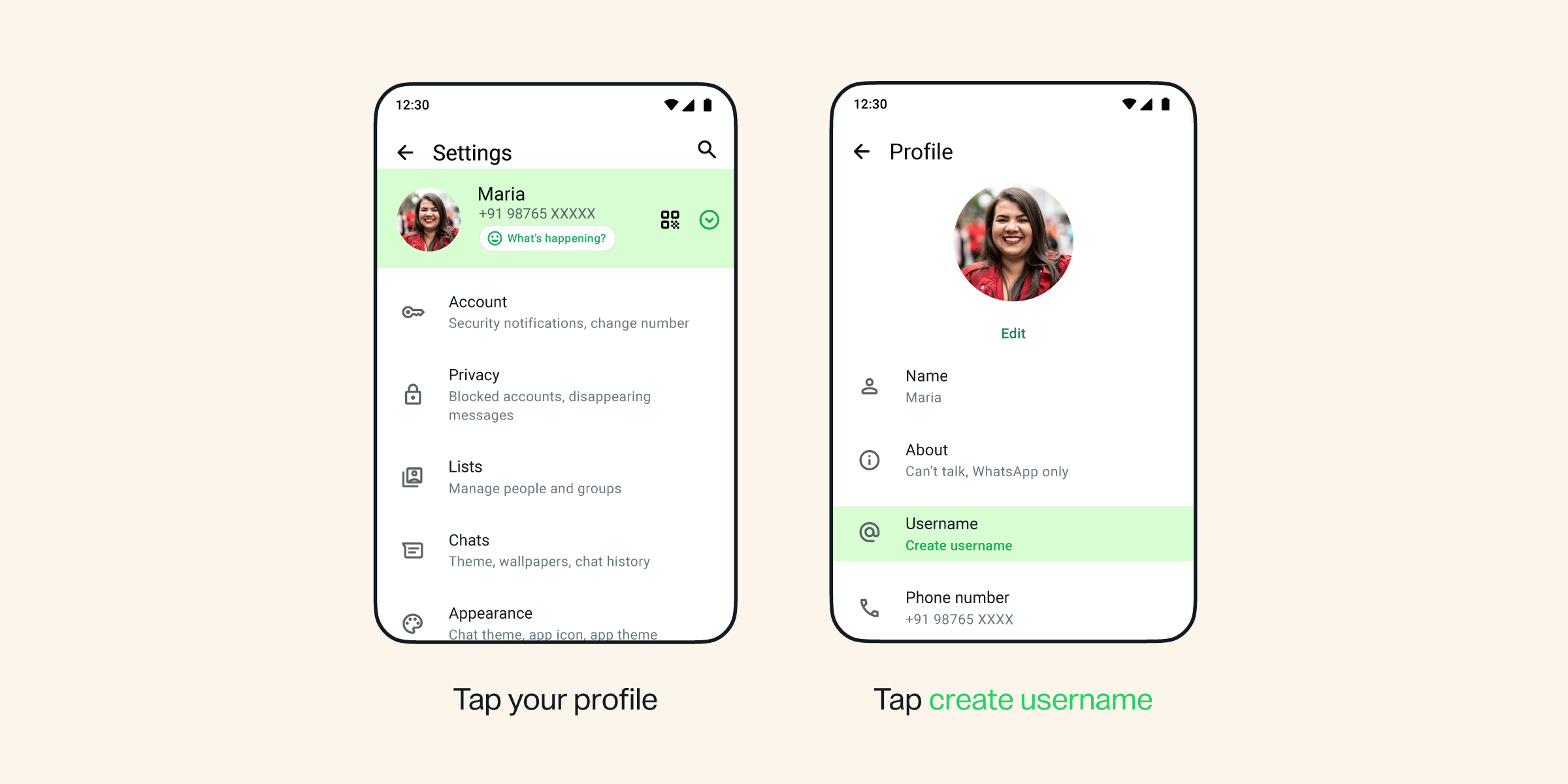
You’ll be able to claim your username via Settings > Account > Username or via the Profile (also in Settings). WhatsApp details the process on a support page.
Notably, we’re not yet seeing this live in the latest WhatsApp for Android update, so it may still be a few days until the reservation option has widely rolled out.
Once usernames officially launch, they’ll be the default for those you’re in contact with. They won’t see your phone number anymore, and there’s no search for usernames either. You need an exact match to start a conversation.